Making a game called Bird Island
Over recent years, Belle and I have got into the habit of making some sort of interactive birthday card for each other’s birthday, a puzzle or game. In the past we’ve made things like word searches, crosswords, treasure hunts, and giant jigsaws, but this year I wanted to use the opportunity to try making her a computer game.
Although it seems like a big effort, really it was an opportunity for me. I’ve been working on Exist for over a decade now and I think what I’d like to do next, potentially seriously enough to make money from it, is make a game. So this was a chance to use some tight constraints to learn enough to actually ship something real, aimed at just one person.
I actually started learning programming on a Commodore 64 at about five years old by making “games”, if we are generous with that label—typing in code from the beautiful, comprehensive manual that came with the computer, or from “type-in programs” in magazines, and then mucking around with that code to make my own variants. This little computer had no hard drive, and I had no idea how to write to a floppy disk (in fact I’m still not sure if this was even possible), so each of these games existed for the duration of an afternoon, until the computer was turned off. I remember one of these early games was a text adventure that played out something like:
You are at the bottom of a hill. Do you want to go over the hill or through the tunnel?
> tunnel
You went into the tunnel and died.
THE END
Even though I already knew the outcome, I got immense satisfaction from being able to run this little program, written in BASIC, and try out each of my choices.
In the Windows 3.1 era I was given Klick & Play as a present, which was a kind of visual 2D game editor. It came with many pre-made sprites, backgrounds, sound effects, and public domain MIDI background music, which you could assemble and clumsily “program” with its drag & drop editor. I spent many, many hours attempting to make games with this as a tween, but it was very limited in what you could accomplish, and performance, at least on our family PC, was poor.
Later in high school I received a legit, licensed copy of Visual Basic 6 (thanks Mr Williams). VB6 blew my mind. I loved the elegance of making GUIs with the drag and drop controls and wiring them up via event handlers. I switched to making all sorts of programs—but no longer games.
Fast forward to this year. At the outset of this project I had previously played with Unity (now dead to me, ew), Bevy, and Godot, all without building anything to completion. I had spent the most time with Godot, though, and how it worked felt the most intuitive to me, so I decided to stick with it.
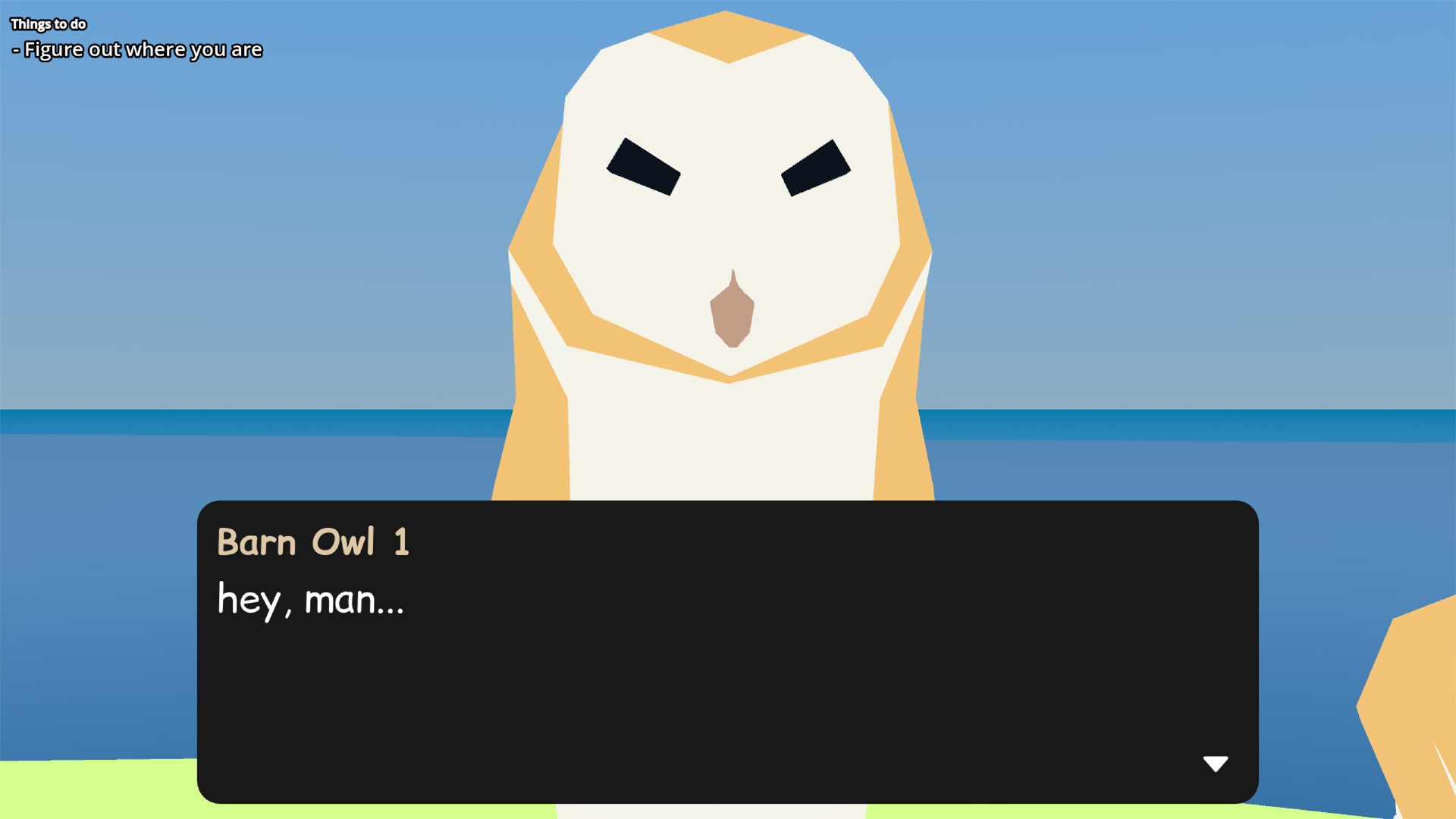
To set the stage, this year Belle had recently got into birds in a big, big way. Birds are probably Belle’s special interest. But because she’s most obsessed with big raptors in far-off lands, watchable at all hours via live cam, she can’t get to enjoy them just by going outside and watching the skies. So my idea was to make a game where she could visit, in a dream, an island where all her favourite live cam birds lived, and hang out with them. I called it Bird Island.
I knew it should be in 3D, because my 2D drawing skills are worse than my Blender modelling skills, which is really saying something.
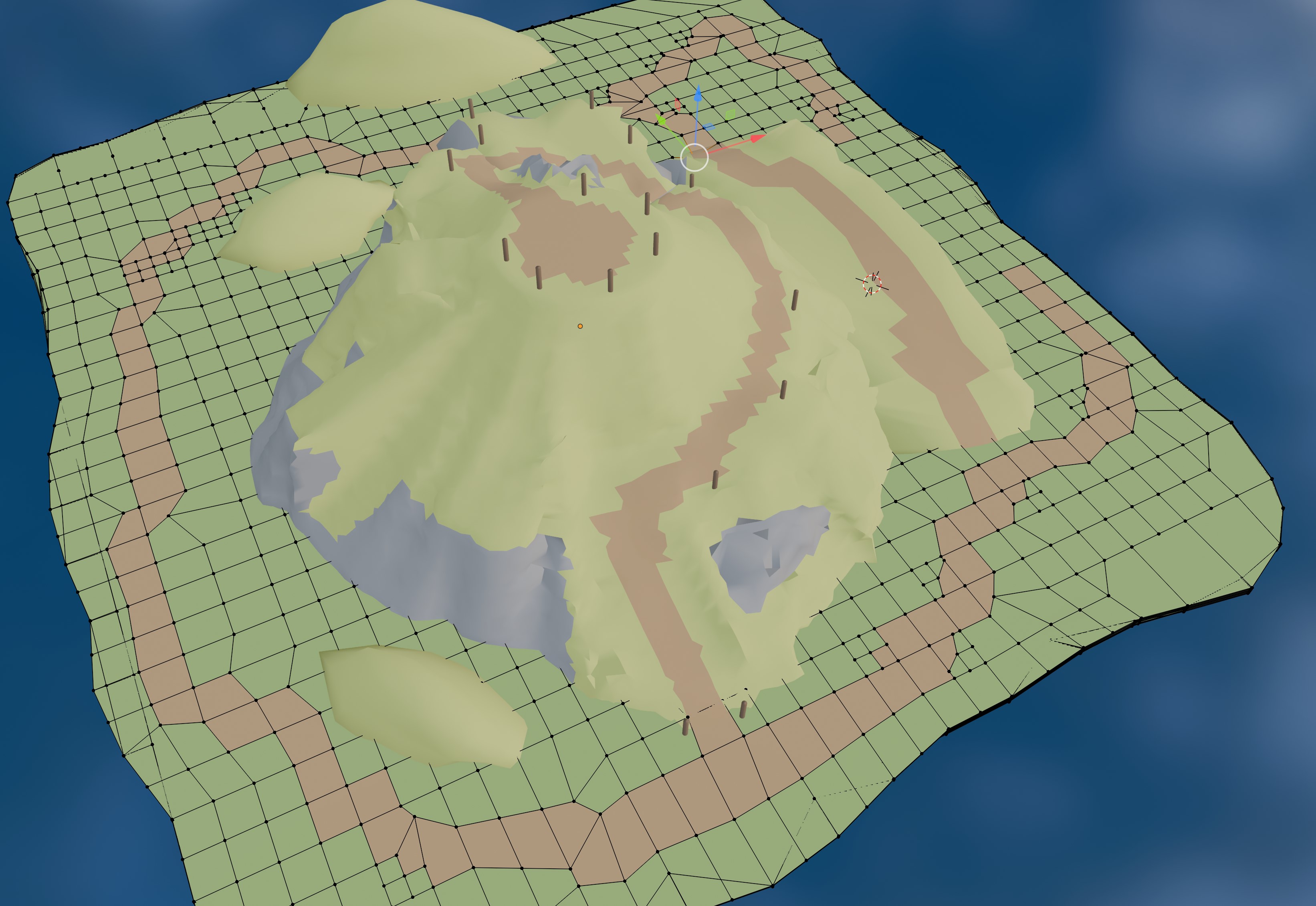
I had a hard time modelling the island in 3D and started over multiple times because I was going in the wrong direction. I used Blender’s sculpting tools for some of the work but the majority of the modelling happened via manually dragging around vertices in edit mode. I’m sure real 3D artists would be aghast to see my process—I knew I didn’t understand the tools well enough yet. I still don’t.
I couldn’t figure out how to paint textures onto what I’d made, but I knew how to apply materials, so I stuck to “painting” my island by applying different materials to different faces of my mesh, and moving the faces as necessary. (I now know that what I was missing was “UV unwrapping”.)
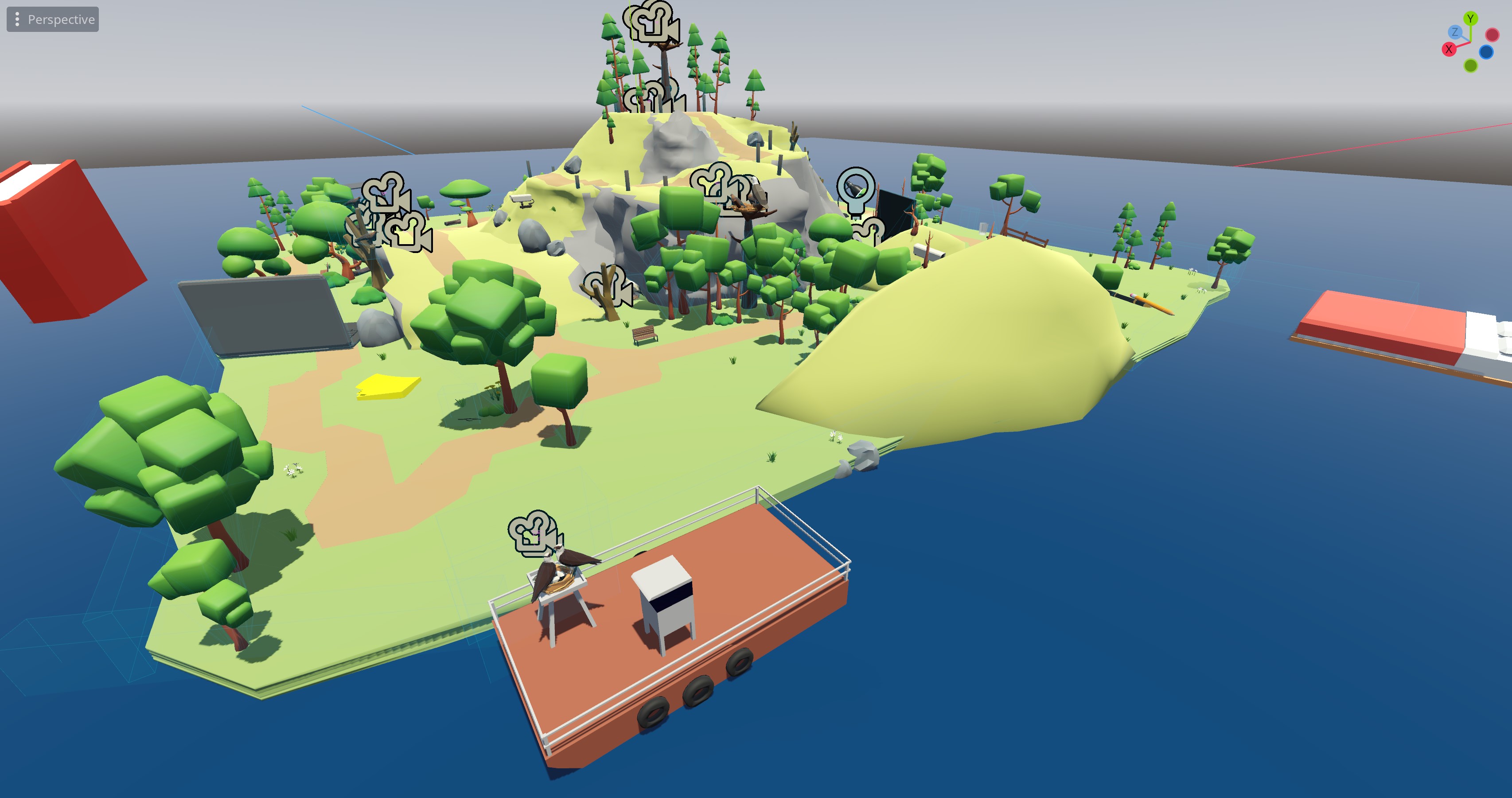
One benefit of the constraints was that I had absolutely no qualms about using free 3D assets that others had made, as I knew Belle wouldn’t care. I found a free female character with animations for walking and so on that looked vaguely like Belle, a free pack of trees, rocks, and bushes, and the site poly.pizza where I very fortuitously found everything else I needed—park benches, birds, and a bunch of other everyday objects. The “dream” theme I chose meant I could decorate the island with oversized objects from Belle’s daily life, like pens, books, and a laptop, and this helped make the setting a little more visually interesting.
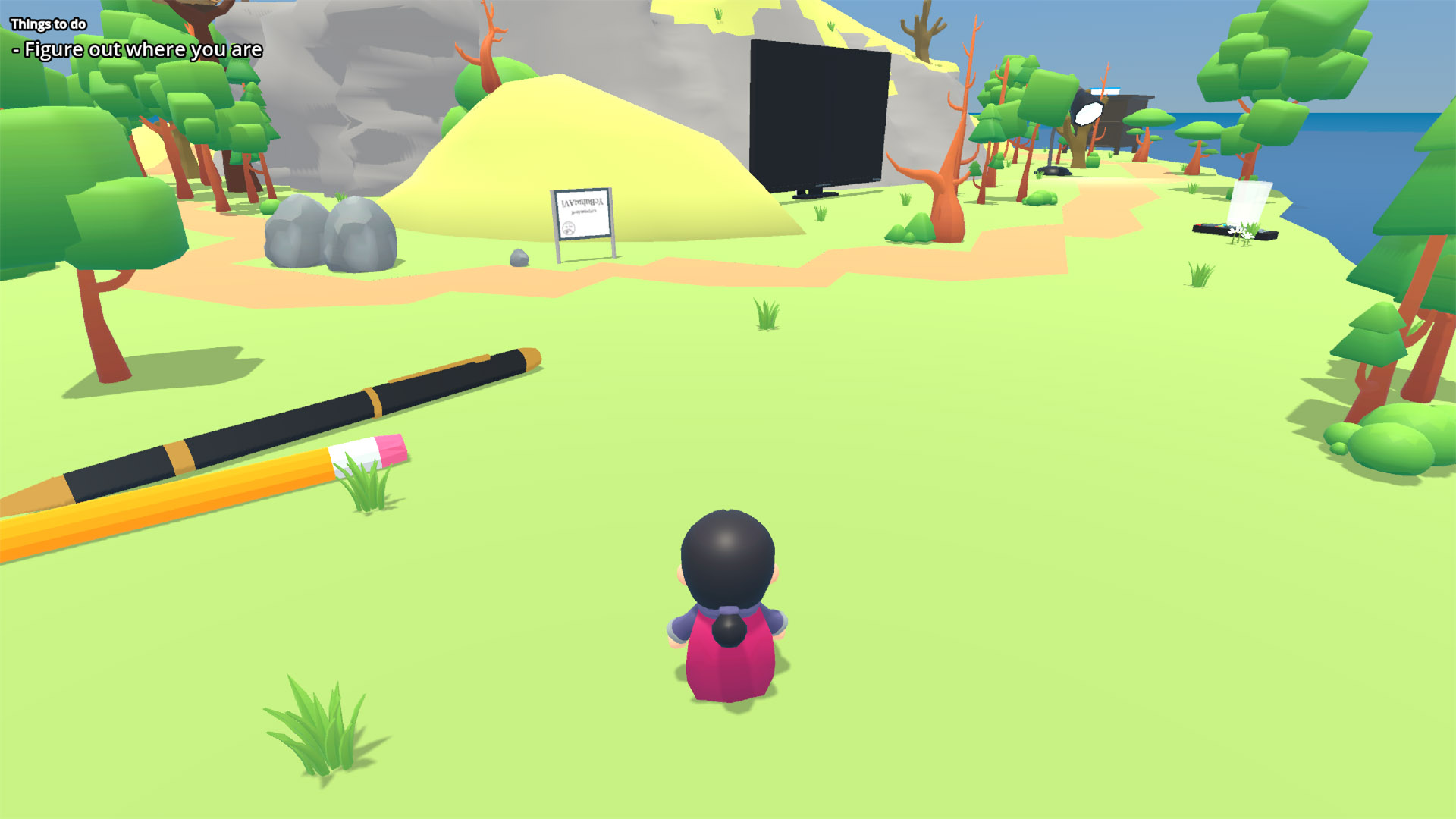
I found code for controlling and animating a character with a third person camera that worked beautifully, and edited it so that moving the controller’s left stick to the left or right would rotate rather than strafing (so-called “tank” controls), because I knew Belle found it annoying to have to adjust the camera with the right stick while moving. In this approach, the camera was fixed behind the character, and only one stick was needed to turn left and right as well as move forward and back. I opted to not allow jumping, so that there was less chance of getting stuck in the geometry. However, I still had an issue with the terrain I’d made where even though it looked smooth and flat, it had hidden bumps that the player got stuck on. I’m sure there are still some there, although I made several passes trying to smooth everything out. Oh well!
After I’d added all my birds and other assets to the island, and could roam around with the player character, I needed to connect up a simple dialogue system. Fortunately this was something I’d made work in an earlier project, so this part was simple. Because I needed to build to Linux, though, I opted to use godot_dialogue_manager rather than my beloved Ink, as Ink is in C# and needs extra compilation steps. Godot Dialogue Manager did the job well, and its method of using global variables for state made connecting things quite easy. I made global booleans for each step that needed to happen, like talking to a bird or finding an object, and just set them to true in the dialogue as the event occurred, and later checked them as needed.
Writing the dialogue itself came easily, which surprised me! I think again it’s about the constraints—I was writing for one person, whom I knew very well, on a topic I have some knowledge about. I was able to lean on references about the birds and personal in-jokes. This made it easy to just bang out stuff that was funny to me and I knew would work for Belle too. (I have to admit I did laugh quite a lot at my own writing while playtesting. Good job, me.)
Next I recorded some basic guitar into FL Studio and added some synths and percussion to make a short loop for the main background music. I originally had the idea of giving each bird or other character their own music, but I was running out of time and unhappy with my efforts, so I think there are only about 5 different pieces of music in there. Some characters got their own music, most didn’t.
Finally I did a full playtest on Linux with a controller a few days before and found one bug to fix. I hadn’t emitted the signal to begin the ending scene in the final dialogue with Shadow the bald eagle, so nothing happened. Fortunately it was a simple fix to add this in.
Come the actual birthday, things mostly went without a hitch! The game randomly crashed halfway through, and the console error actually said something like “such and such failed - this is not your fault”. I know! I wish it wasn’t yours either, Godot! That put a dampener on things, as we had to speed-run the first half again, but otherwise all went well and Bird Island was a success. I’m pretty sure the bird-enjoyer also enjoyed the game a lot.
I now have a full, completed game I have made in Godot, for some value of “game”. Most of the experience was fun rather than frustration, and I think the constraints were the real lifesaver allowing me to focus on getting something finished. One player, on one particular hardware setup, made for love not money. Now that’s bespoke.
I hope it was interesting to read about! If you’d like to play Bird Island too, you can download it for Windows or for MacOS. No warranty, no settings, no guarantee you’ll enjoy it, etc etc. You can’t save your progress, but it should take you about 20-40 minutes to complete.
Keyboard controls: Arrow keys to move, space to interact, shift to run, F1 to toggle fullscreen, Esc to pause/quit
Controller: Left stick to move, X or A to interact, one of the shoulder buttons to run, one of the menu keys to pause/quit